G-code Viewer for Mac.
HEXOstudios draws every G-code file on your Mac as a card from its own toolpath, and with Pro opens the toolpath in 3D, layer by layer, with the print details beside it.
- TOOLPATH CARDS ON FREE
- .GCODE · .GCO · .G

HEXOstudios is a desktop app for Mac.
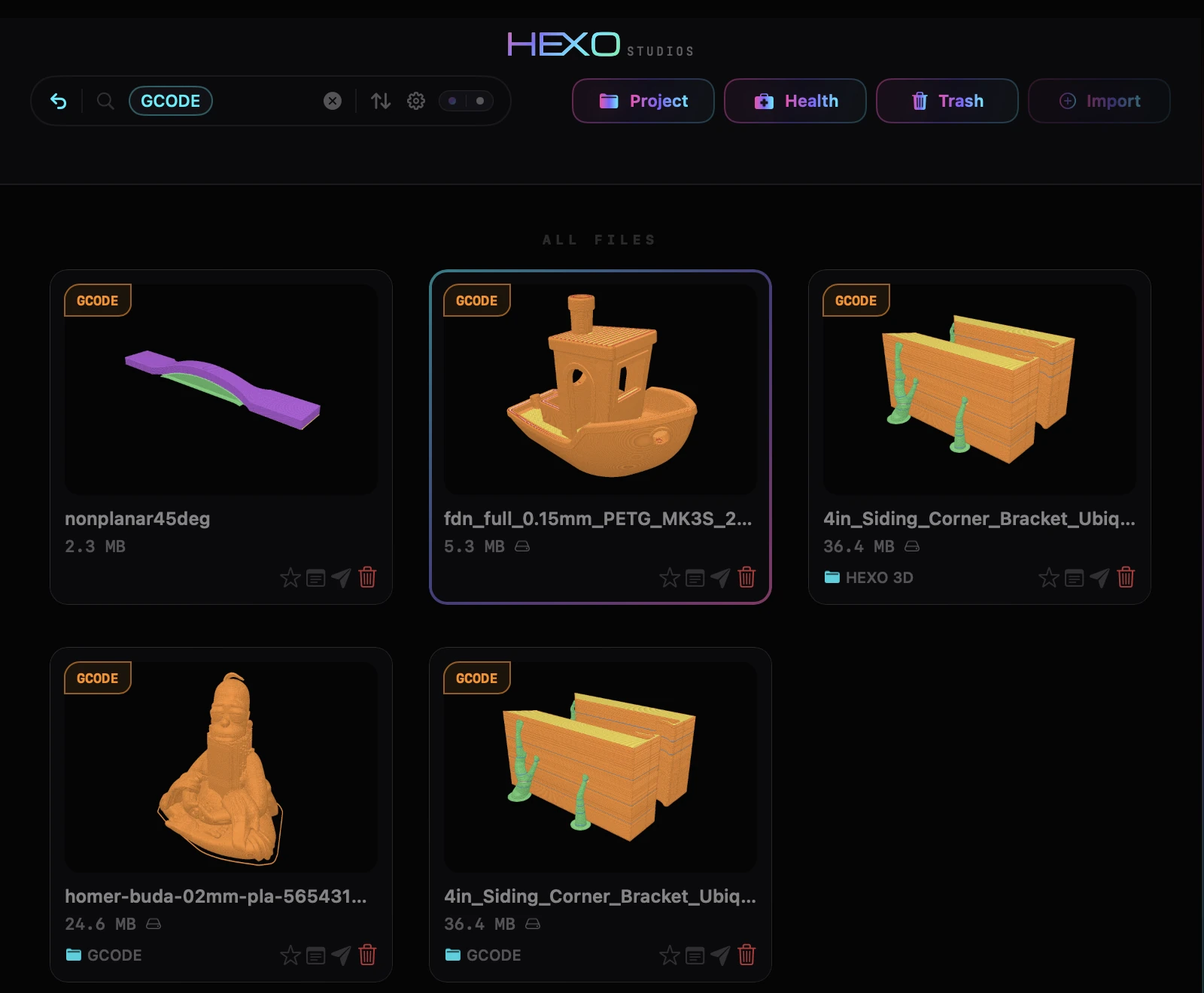
Toolpath cards, not filenames.
A folder of sliced prints is a list of near-identical filenames in Finder. In HEXOstudios each G-code file is a card that shows what it will print.
Drawn from the toolpath
HEXOstudios draws every G-code card from the file’s own toolpath, color-coded, never from the small picture a slicer may save in the file. The cards are part of HEXOstudios Free, for any number of files.
In the same library as your models
G-code files sit beside your STL, 3MF and STEP files, in your own folders. Smart Search understands format names, and a click on the G-code count in the sidebar shows only your G-code files.
.gcode, .gco and .g
All three G-code extensions open as G-code, with the same card and the same tools.
Every layer, before you print.
Layer by layer PRO
Open a G-code file in the preview panel or in Full Preview to explore its whole toolpath in 3D: turn it, zoom in, and step from the first layer to the last with the layer controller.
The print details PRO
File Passport reads the print details saved in the file: print time, layers, filament and weight, layer height, nozzle and bed temperatures, speed, and the slicer and printer it was made for, when the file includes them.
Cards free. The toolpath in 3D with Pro.
HEXOstudios Free
Toolpath cards for every G-code file, in a library with no limit on how many files it holds.
HEXOstudios Pro PRO
The toolpath in 3D in the preview panel and in Full Preview, the print details in File Passport, and Visual Export, which gives an exported copy its HEXO card as its Finder icon. Pro is a one-time $24.99, with a 14-day free trial inside the app. See what is free, and what Pro adds.
G-code files on a Mac, answered.
How do I view G-code files on a Mac?
Add them to HEXOstudios, free on the Mac App Store. Every G-code file gets a card drawn from its own toolpath. With Pro, open a file to explore the toolpath in 3D, layer by layer, with its print details beside it.
Is the G-code card the picture my slicer saved?
No. HEXOstudios draws every G-code card itself, from the file’s toolpath, so files without a saved picture get a card too.
Which G-code files does HEXOstudios open?
Files ending in .gcode, .gco or .g. All three open as G-code, with the same card, 3D toolpath and print details.
Does HEXOstudios send G-code to my printer?
No. HEXOstudios is a library and viewer: it shows your G-code files but doesn’t control printers or slice models.
Are my G-code files uploaded anywhere?
No. HEXOstudios reads and draws every file on your Mac. It has no network access of its own, no account and no cloud.
Every print, visible on your Mac.
HEXOstudios is free on the Mac App Store. Try every Pro feature free for 14 days inside the app, then keep Pro for $24.99, once.
HEXOstudios is a desktop app for Mac.
Questions? Write to support@hexostudios.com