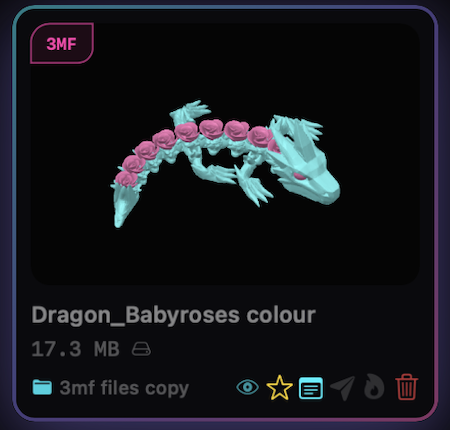

Nested Folders
ORGANIZE IT YOUR WAY
Bring your existing folder trees into HEXOstudios, 200,000+ files in a single import, and every subfolder becomes your library hierarchy. Build folders inside folders as the collection grows.
3D LIBRARY ORGANIZER. 200,000+ 3D FILES. UNDER CONTROL. SEE ALL YOUR 3D FILES. PERFECTLY ORGANIZED. Supported formats: STL, 3MF, STEP, OBJ, AMF, PLY, USDZ. HEXOstpEngine: step, built in Nested Folders: import folders. organize your way. Multi-Plate: every plate. every 3mf. visible. Send to Slicer: dynamic slicer detection HEXOforge: convert & export Library Health: find duplicates. large files. cleanup. POWERFUL TOOLS. Everything you need to organize, preview, convert, and work with your 3D files in one seamless Mac-native experience. ONE COMPLETE WORKFLOW. Built for creators. Engineered for scale.
ONE ECOSYSTEM
HEXO's purpose-built STEP/STP technology turns engineering files into thumbnails, previews and interactive 3D. On your Mac.
Convert STL, OBJ, PLY, 3MF and AMF files from your library into clean STL, OBJ or PLY. On your Mac.
ORGANIZE IT YOUR WAY
Bring your existing folder trees into HEXOstudios, 200,000+ files in a single import, and every subfolder becomes your library hierarchy. Build folders inside folders as the collection grows.
SEE THE MODEL, NOT JUST THE FILENAME
Explore STL, OBJ, PLY, AMF, 3MF, USDZ and STEP models in full-screen 3D with orbit and zoom, plus G-code toolpaths. Each format gets the preview that fits it.
KNOW WHAT’S INSIDE
Open a File Passport for 3MF, STEP and G-code files: plate names, object counts, dimensions, filaments and print-time details when the file includes them.
DYNAMIC SLICER DETECTION
HEXOstudios detects the slicers installed on your Mac and sends supported files in one click, checking that the slicer can open the format first. Add or hide slicers in Settings.
KEEP TODAY’S WORK WITHIN REACH
Pull the files you’re working on into Project Queue without moving them in your library. Send them to your slicer one after another, and see which ones are sent.
KEEP A GIANT LIBRARY UNDER CONTROL
Scan your whole library for duplicate entries and oversized files, and remove them from your library in a click. Health also reports library size, cache size and external-drive reachability, with a Rescan.
YOUR FILES STAY VISUAL AFTER EXPORT
Export to a new or existing folder, or as a ZIP. Supported models carry their HEXO-rendered thumbnails with them, so your files stay recognizable in Finder — even unzipped on another Mac.
CONVERT WITHOUT LEAVING YOUR LIBRARY
Send STL, OBJ, PLY, 3MF or AMF files from your library to HEXOforge and get a clean STL, OBJ or PLY back. Local on your Mac. No internet, no credits.
ONE FILE. EVERY PLATE ACCOUNTED FOR
HEXOstudios recognizes multi-plate 3MF files and shows the plate count right on the file card. Step through each plate in the 3D preview, with plate names and object counts in File Passport.
HEXOstudios is free on the Mac App Store. When you want everything, try Pro free for 14 days inside the app, then keep it for $24.99, one time.
Your whole library.
$0FREE
Unlimited files.
Organized free.
Unlimited previews
Thumbnails and 3D preview panel, any number.
Free preview allowance
12 unique files of each, for life. Keep as many as you like; Pro lifts the allowance.

Start here · free download
HEXOstudios is a Mac app
Enter your email and we’ll send you the Mac App Store link for your Mac.
For Mac
macOS 14 or later
Try Pro free for 14 daysNo charge
No charge · Starts inside HEXOstudios · no automatic purchase
Then keep it
$24.99One timeNo subscription
No purchase?
Everything you organized stays. HEXOstudios returns to Free, Pro features switch off, and your 12 + 12 free 3MF and STEP previews carry on for life.
$24.99 USD · the Mac App Store shows your local price · macOS 14 or later