Every HEXOstudios feature, in one place.
A visual library for your 3D files, on your Mac: what’s free, what Pro adds, and how each feature works.
- FREE ON THE MAC APP STORE
- PRO $24.99 · ONE TIME
- 14-DAY PRO TRIAL

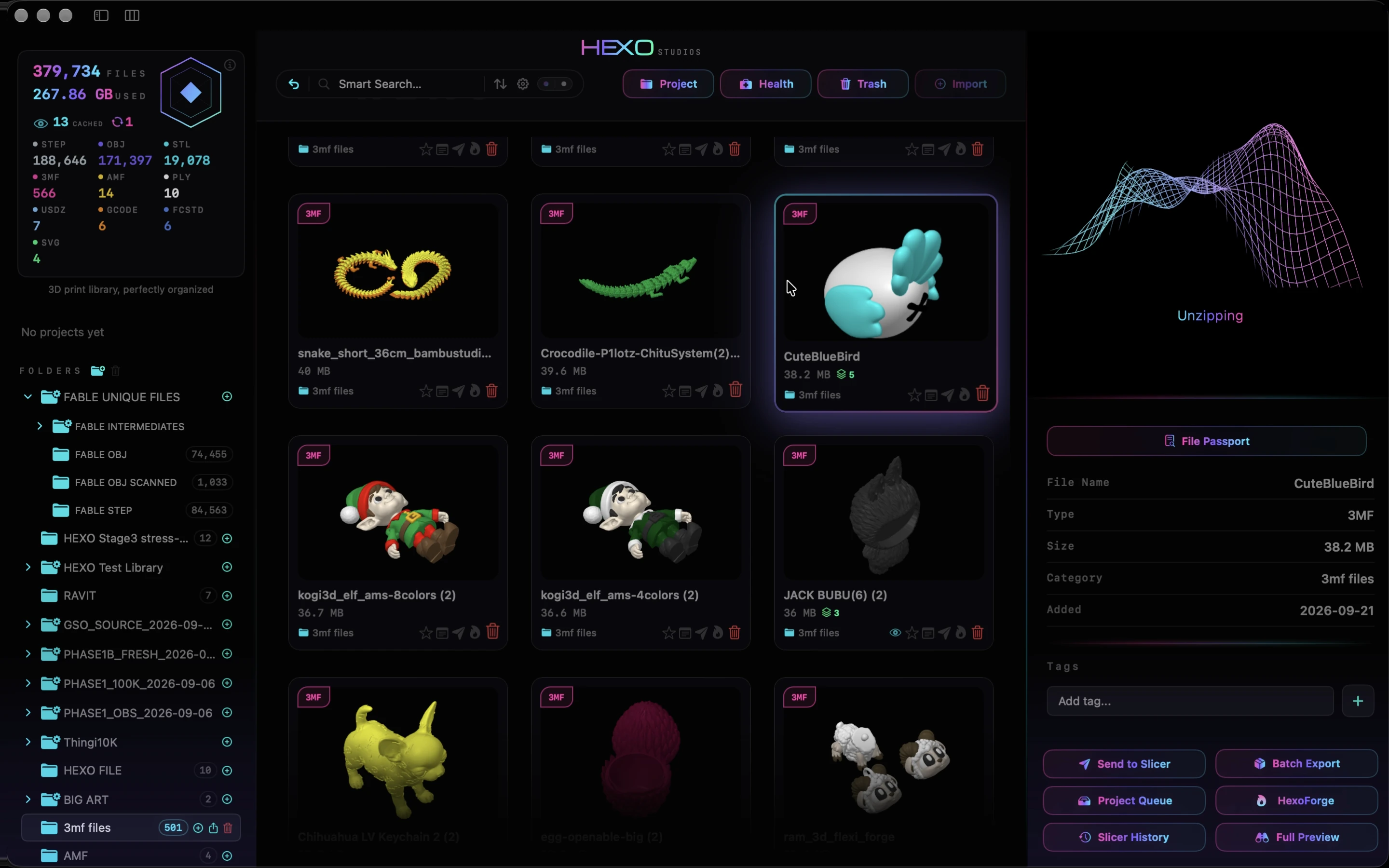
A visual library, not a folder of filenames.
Rendered model cards
Every supported file in your library appears as the model itself, rendered on your Mac, with its name and format. You browse your collection by what it looks like.
Import, sort, favorite
On Free, import files or a folder of files into a library with no limit on how many files it holds, sort models into your own folders, star favorites, and undo with ⌘Z. Moved or renamed files re-link automatically.
Nested Folders PRO
Bring existing folder trees into HEXOstudios in one import, 200,000+ files at once, and their subfolders become your library’s hierarchy, up to three levels deep. Create subfolders of your own as the collection grows.
Smart Search and Batch Rename
Smart Search filters the whole library by name, file type, folder or tag, and understands words like “favorites”, “this week” or “large”. Batch Rename gives many selected files new library names in one pass. Both are free.
External drives
Files can stay on an external drive, marked with a drive icon. If the drive is disconnected they stay in your library, marked unavailable, and reconnect automatically when it’s back.

See the model, not just the filename.
3D preview
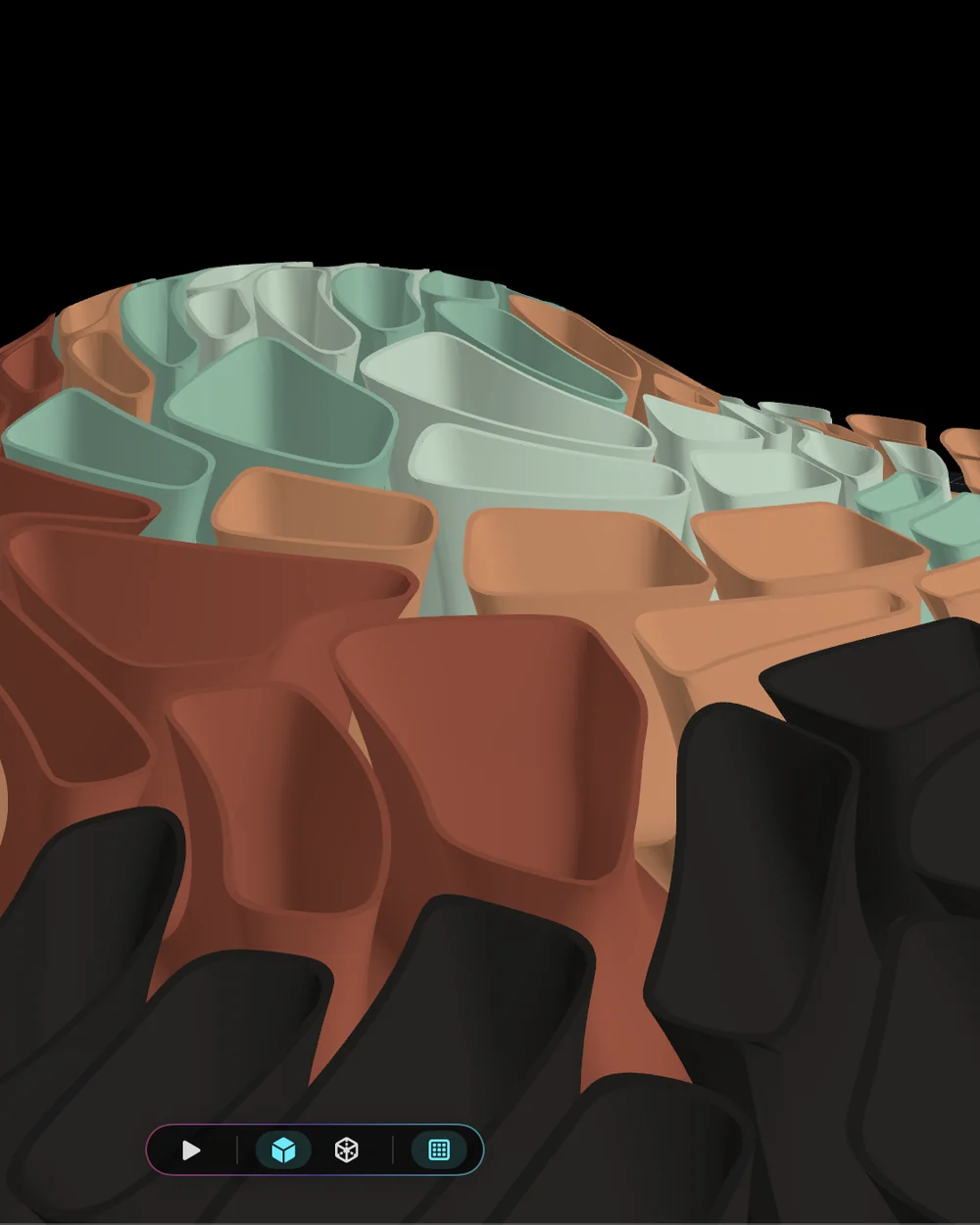
Preview models in 3D inside the library, spin them, or switch between Solid and Mesh views. STL, OBJ, PLY, AMF and USDZ are unlimited on Free, and Free also previews 12 unique 3MF files and 12 unique STEP files, for life.
Full Preview PRO
Explore STL, OBJ, PLY, AMF, 3MF, USDZ and STEP models full-screen with orbit and zoom, plus a toolpath view for G-code. Each format gets the preview that fits it.
Multi-Plate
HEXOstudios recognizes multi-plate 3MF files and shows the plate count right on the file card. Step through each plate in the 3D preview. More on the 3MF viewer for Mac.
STEP and STP with HEXOstpEngine
HEXOstpEngine, HEXO’s own STEP technology, turns engineering files into thumbnails, previews and interactive 3D, processed on your Mac.
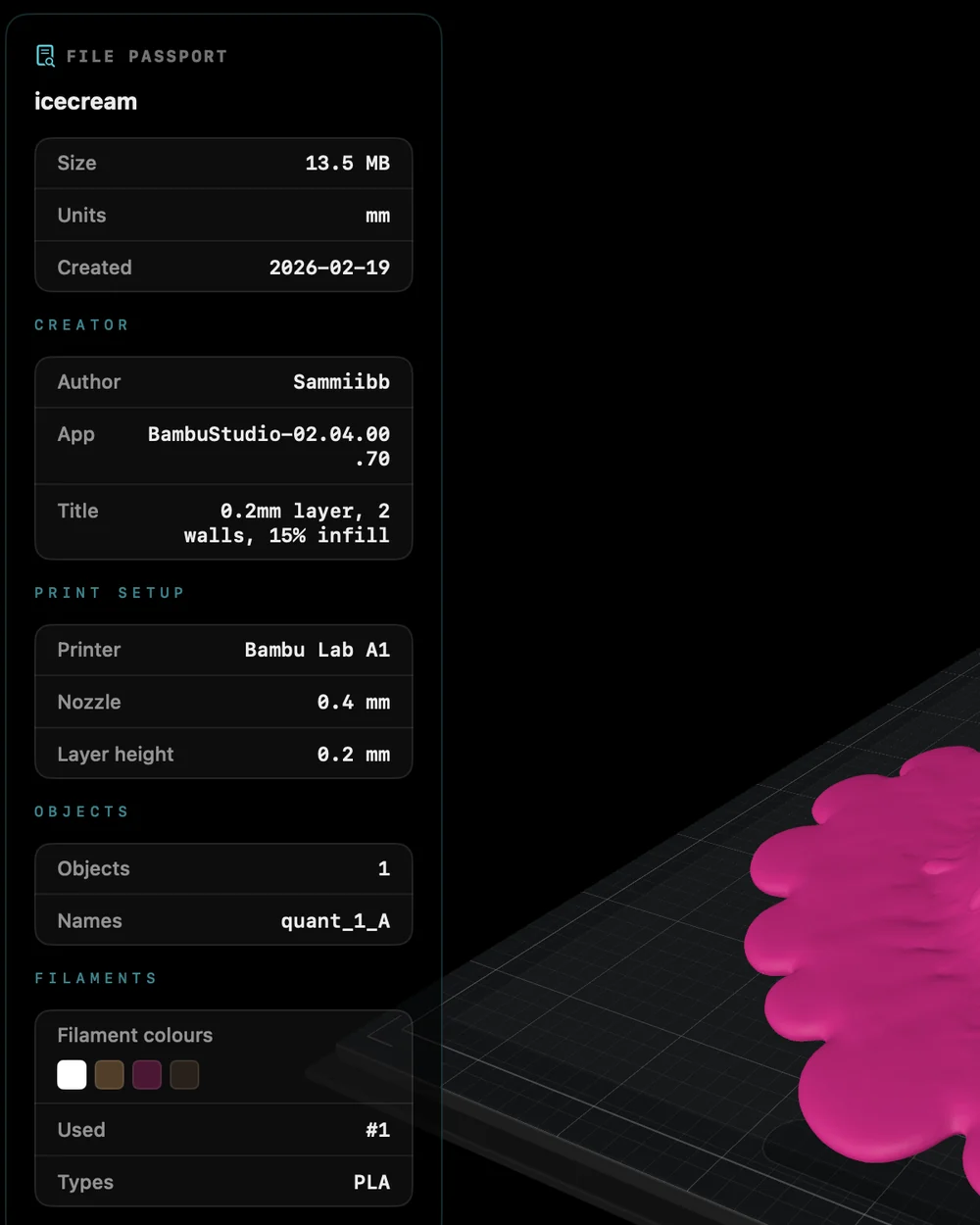
File Passport, notes and tags.
File Passport PRO
Open a File Passport for 3MF, STEP and G-code files: plate names, object counts, dimensions, filaments and print-time details when the file includes them, and a STEP file’s source, structure and geometry.
Notes and tags PRO
Add your own notes and tags to any file, so what you learned about a model stays with it in your library. Tags are searchable too.
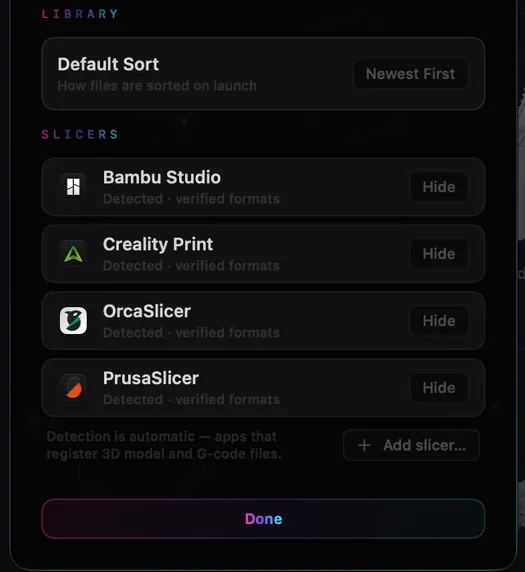
Send to Slicer and Project Queue.
Send to Slicer PRO
HEXOstudios detects the slicers installed on your Mac and sends supported files in one click, checking that the slicer can open the format first. Add or hide slicers in Settings.
Project Queue PRO
Pull the files you’re working on into Project Queue without moving them in your library. Send them to your slicer one after another, and see which ones are sent.
Slicer History PRO
Slicer History keeps a record of the files you’ve sent to your slicers.
Keep a giant library under control.
Duplicates and oversized files PRO
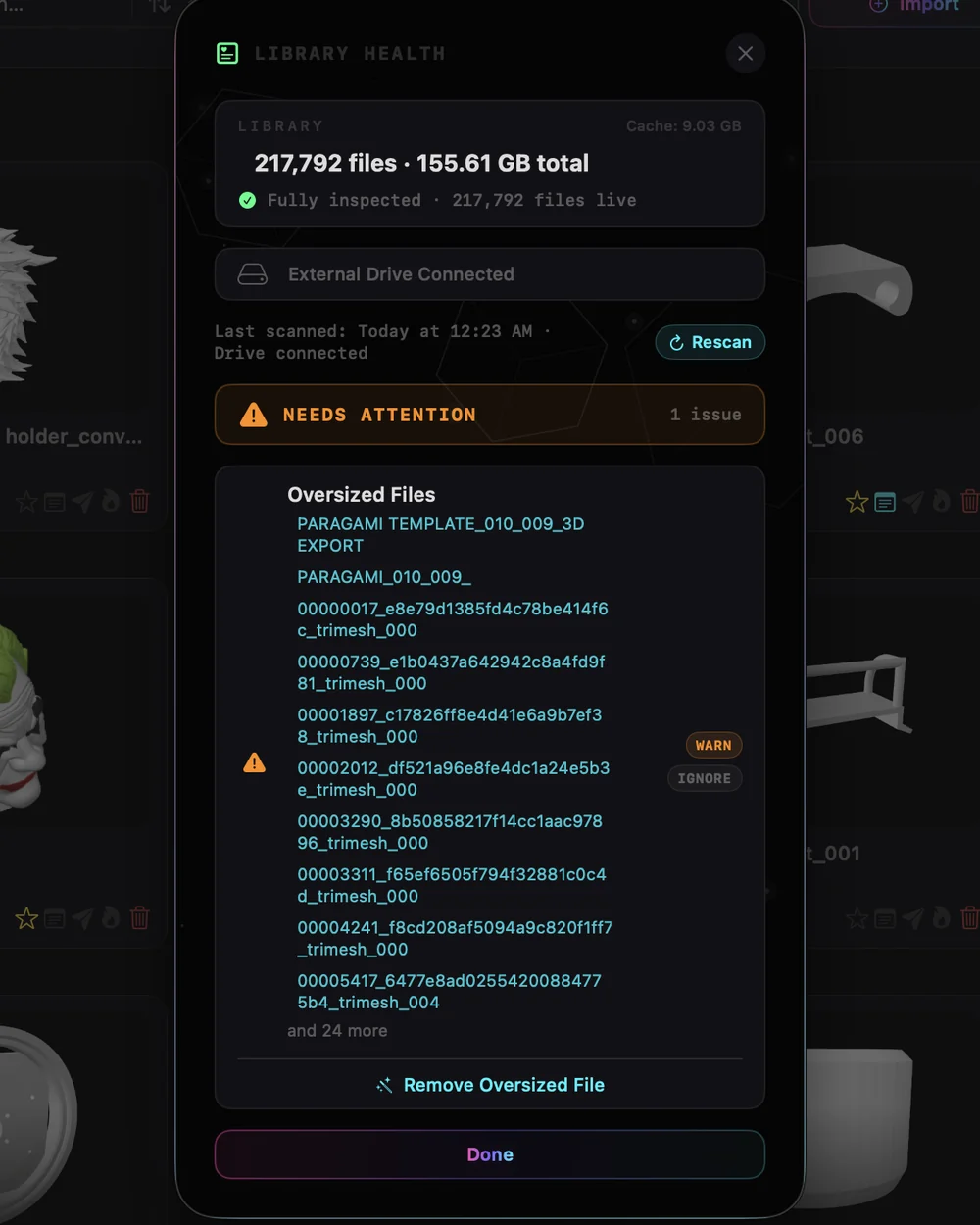
Scan your whole library for duplicate entries, files that share a name, size and type, and for files over 200 MB, then remove them from your library in a click. Your files on disk are never deleted.
Library totals and drives PRO
Health also reports library size, cache size and external-drive reachability, with a Rescan.
Visual Export and HEXOforge.
Visual Export PRO
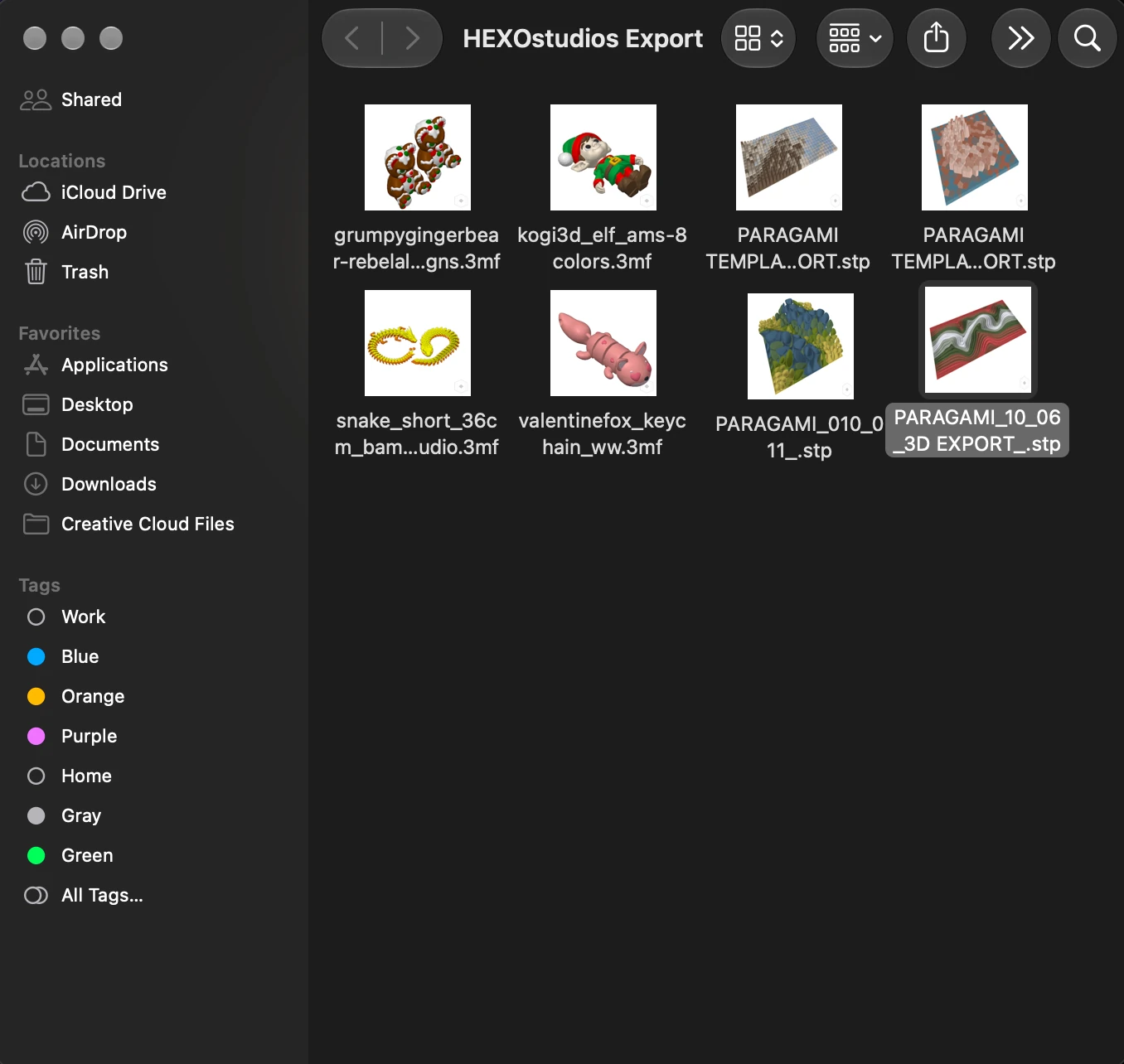
Export to a new or existing folder, or as a ZIP. STL, OBJ, PLY, AMF, 3MF and STEP copies carry their HEXO-rendered thumbnail as their Finder icon, so your files stay recognizable, even unzipped on another Mac.
HEXOforge PRO
Send STL, OBJ, PLY, 3MF or AMF files from your library to HEXOforge and get a clean STL, OBJ or PLY back, in the Converted section of your library. Local on your Mac: no internet, no credits.
Native, private, and yours.
Workspace Glow PRO
Six glow themes and five brightness levels to match your style.
Keyboard and appearance
Move through the library with the arrow keys, ⌘F to search and ⌘Z to undo, with every shortcut one ⌘⇧? away. Light and dark mode are in Settings.
Private by design
HEXOstudios has no network access of its own, no account and no cloud. It works with your files where they are and never copies them into itself. Read the privacy policy.
Requirements
macOS 14 Sonoma or later. HEXOstudios is a universal app: it runs natively on Apple silicon and Intel Macs.
Download free. Keep Pro once.
HEXOstudios is free on the Mac App Store. Try every Pro feature free for 14 days inside the app, with no automatic purchase when the trial ends, then keep Pro for a one-time $24.99. No subscription.
| Feature | Free | Pro |
|---|---|---|
| Library size | Unlimited | Unlimited |
| Import files and folders, favorites, your own folders | Yes | Yes |
| Import nested folder trees (200,000+ files at once) | No | Yes |
| Smart Search · Batch Rename | Yes | Yes |
| Thumbnails and 3D preview: STL, OBJ, PLY, AMF, USDZ | Unlimited | Unlimited |
| Thumbnails and 3D preview: 3MF and STEP | 12 + 12 files, for life | Unlimited |
| Full 3D Preview (and G-code toolpaths) | No | Yes |
| File Passport, notes and tags | No | Yes |
| Send to Slicer · Project Queue | No | Yes |
| Library Health | No | Yes |
| Visual Export · HEXOforge · Workspace Glow | No | Yes |
Features, answered.
What’s free, and what does Pro add?
HEXOstudios is free on the Mac App Store, with no limit on how many files your library holds. Free includes importing files and folders, Smart Search, Batch Rename, and unlimited thumbnails and 3D preview for STL, OBJ, PLY, AMF and USDZ, plus 12 unique 3MF files and 12 unique STEP files, for life. Pro adds nested folder import, Full 3D Preview, File Passport with notes and tags, Send to Slicer, Project Queue, Library Health, Visual Export, HEXOforge and Workspace Glow, and previews unlimited 3MF and STEP files.
How does the 14-day Pro trial work?
You start it inside HEXOstudios. For 14 days you get every Pro feature at no charge, and nothing is purchased automatically when it ends. If you don’t buy Pro, HEXOstudios returns to Free and your files, folders and organization stay exactly as they are.
How much is Pro? Is it a subscription?
No subscription. Pro is a one-time purchase of $24.99 USD (the Mac App Store shows your local price), made inside HEXOstudios through the Mac App Store.
Does HEXOstudios work offline?
Yes. HEXOstudios has no network access of its own, no account and no cloud. Only the Mac App Store talks to Apple, for your download, trial and purchase.
Everything, on your Mac.
Start free on the Mac App Store, try Pro for 14 days inside the app, and keep it for $24.99, once.
Questions? Write to support@hexostudios.com